AI8 min readBy JH Akash
How to Build an AI Agent: 8 Steps, $15K-$350K
Build your first AI agent in 8 practical steps. Real 2026 costs, framework choices, and the eval-first workflow that keeps agents working after launch.
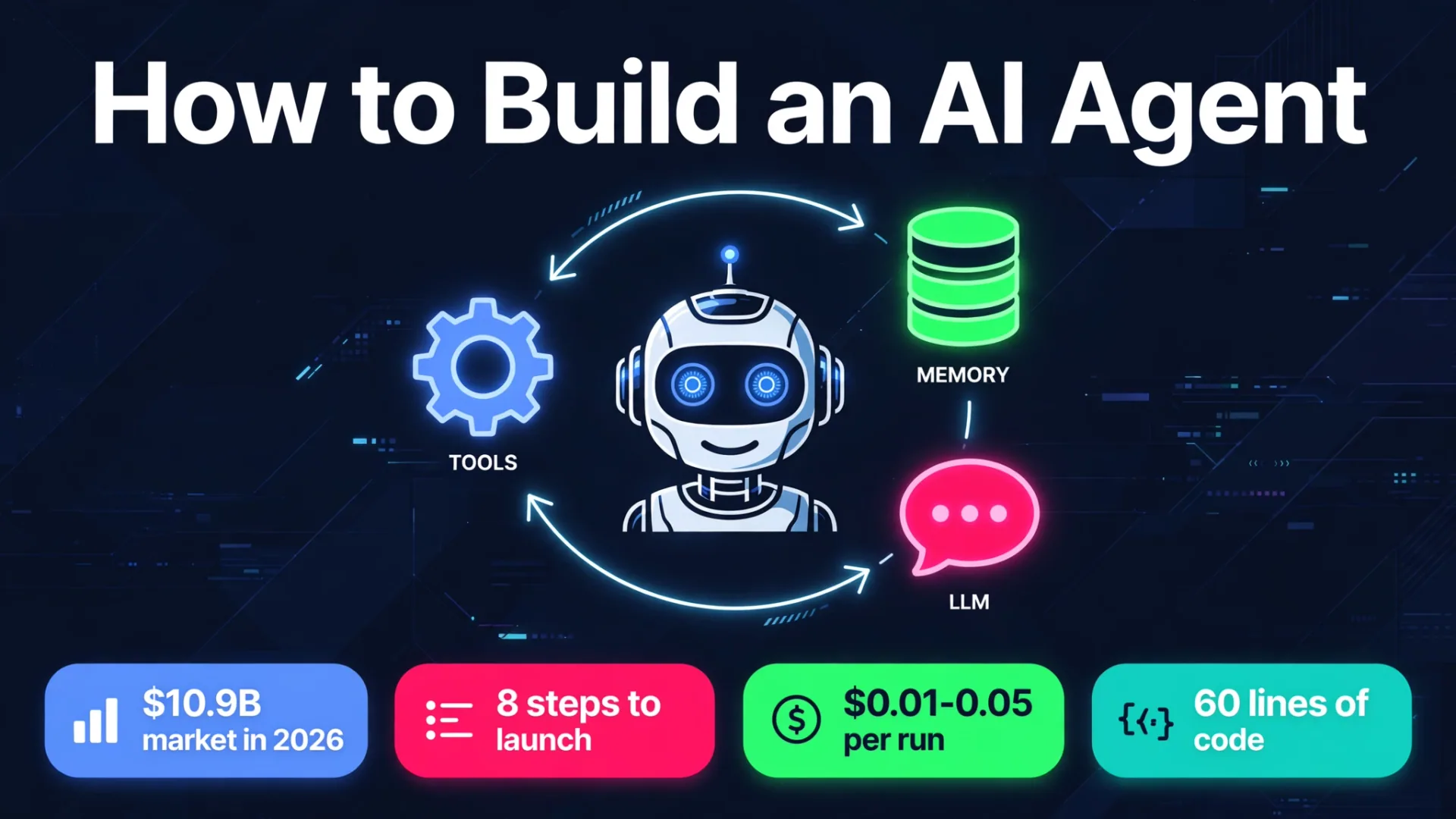
To build an AI agent, pick one narrow job, choose a model with reliable tool calling, give it 3 to 5 tools, run a loop that lets it call tools until the job is done, and test it against real tasks before it touches production. In 2026 the SDKs handle the loop for you, so a useful first agent is about 60 lines of code. The hard part is not the code. It is choosing the right job, writing good evals, and keeping the agent safe and affordable once real users touch it.
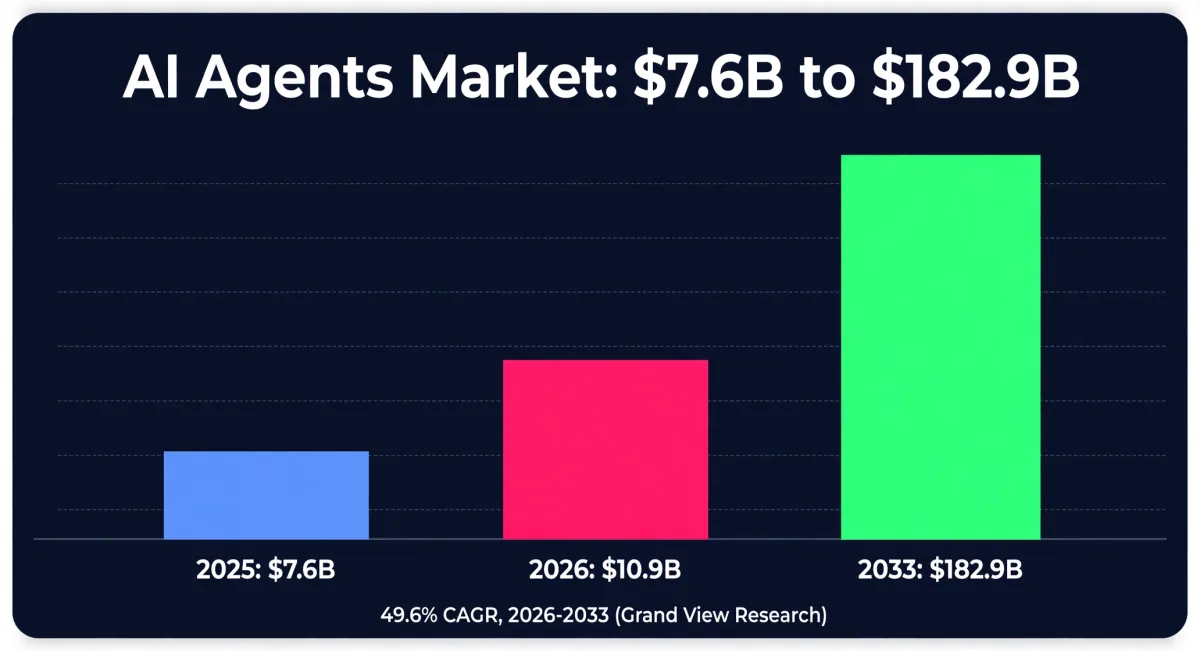
The market is moving fast. Grand View Research puts the global AI agents market at $7.6 billion in 2025 and $10.9 billion in 2026, growing to $182.9 billion by 2033 at a 49.6% yearly rate. Gartner expects 40% of enterprise applications to feature task-specific AI agents by the end of 2026, up from under 5% in 2025. The opportunity is real, and so is the failure rate: Gartner predicts more than 40% of agentic AI projects will be canceled by the end of 2027, mostly over rising costs, unclear business value, and weak risk controls. This guide follows the workflow that avoids that outcome.
What an AI agent actually is
An AI agent is software that takes a goal, plans steps, uses tools, and acts on its own until the goal is done. It runs a loop: perceive the task, plan, act with a tool, read the result, and repeat. Anthropic, the company behind Claude, draws a useful line in its Building Effective Agents guide: workflows run along paths you define in advance, while agents let the model direct its own process and tool use. If the steps are fixed and predictable, build a workflow. If the agent has to decide what to do next based on what it finds, build an agent.
The best-known loop pattern is ReAct: reason, act, observe. The model receives a goal, decides whether to answer or call a tool, your code runs the tool and returns the result, the model reads it and picks the next step, and the loop ends when the goal is met or a limit is reached. Everything in this guide hangs off that loop.
How to build an AI agent in 8 steps
Step 1: Pick one narrow job
Start with a single job that is repeated, measurable, and valuable. Lead qualification, support ticket triage, invoice chasing, and meeting note follow-up are good first jobs. A job that takes a person 10 minutes and happens 50 times a day beats a grand vision that nobody can test. Write down what done looks like, in one sentence, before you write any code.
Step 2: Choose a model
Pick one strong general model with reliable tool calling and stick with it for the first version. As of April 2026, Claude 4.6 (Opus and Sonnet), GPT-5, and Gemini 2.5 Pro are the most reliable models for agentic behavior, according to Prof. Kay Rottmann's practical guide. Pricing in October 2026 ran from about $0.10 per million input tokens for small models to $4 per million input and $20 per million output tokens for Claude Opus 5.5. A typical agent run costs $0.01 to $0.05. Start with the strong model, measure the cost per completed task, and only then trade down to a cheaper model for the easy steps.
Step 3: Map tools and data
List every system the agent must read from or write to, then give it 3 to 5 tools with clear names and arguments. A support agent might get searchtickets, readorder, and escalatetohuman. The Model Context Protocol (MCP), an open standard from Anthropic, lets an agent plug into ready-made tool servers for apps like GitHub, Notion, and Slack instead of hand-writing every integration. Keep the tool list small: every extra tool is another way for the model to go wrong.
Step 4: Build the eval set FIRST
Write 20 real tasks with answers you have checked by hand, ideally the ones your first customers will actually ask. This is the step most tutorials skip, and it is the step that decides whether your agent still works on day thirty. Rottmann's rule is blunt: build the eval set before you build the agent, because skipping evals does not get you an agent, it gets you a demo. Run the evals on every change. Ship only when they are green.
Step 5: Write the minimal loop
With a modern SDK the loop is short. In plain form it looks like this:
while not done and steps < max_steps:
    action = model.decide(goal, history)
    if action is answer:
        return action.text
    result = run_tool(action.tool, action.args)
    history.append(action, result)
That is the whole agent. Everything else, memory, guardrails, logging, is added around it. Keep the first version to one agent and one loop. Multi-agent teams sound impressive and fail in more ways.
Step 6: Add memory and guardrails
Give the agent short-term memory of the current conversation and, where it helps, long-term memory of past facts. Then add the limits that keep a loop from going off the rails: a maximum number of steps, a spending cap per task, an allow-list of actions, and human approval for anything you cannot undo, like sending money, deleting data, or emailing a customer. Guardrails are not optional polish. They are what separates a demo from a product.
Step 7: Test before you trust it
Run your 20 eval tasks, then run them again with messy real-world inputs: typos, missing data, angry customers, conflicting instructions. Watch where the agent loops, hallucinates a tool result, or picks the wrong tool, and fix the tool description or the instructions before you touch the model. Track the cost per completed task, not just the token bill, because a cheap model that needs twice as many steps is not cheap.
Step 8: Deploy, observe, iterate
Ship to a small group of real users with full tracing on, so you can see every tool call and every failure. Review the traces daily for the first two weeks. Most production problems show up as patterns: one tool that always fails, one instruction the model keeps misreading, one task type that always needs a human. Fix the top pattern, re-run evals, and repeat. An agent is a living system, not a launch-and-forget feature.
No-code vs low-code vs code: which path fits you
| Build path | Examples | Best for | Skill needed | Watch out for |
|---|---|---|---|---|
| No-code builders | Microsoft Copilot agents, ChatGPT Workspace Agents, Gumloop, MindStudio | Personal or team assistants over your own docs and apps | None | Lock-in, limited control, features changing under you |
| Low-code workflow tools | n8n, Zapier Agents, Langflow | Business automations with an AI decision step | Some | Gets messy as logic grows |
| Code frameworks and SDKs | OpenAI Agents SDK, Claude Agent SDK, Google ADK, LangGraph, CrewAI | Full control, custom tools, production systems | Coding | More build time up front |
One note: OpenAI announced in June 2026 that it is winding down Agent Builder and its Evals product, both disappearing from the platform on November 30, 2026. Code-first builders are pointed to the Agents SDK, prompt-first builders to Workspace Agents in ChatGPT. If you were building on Agent Builder, migrate now.
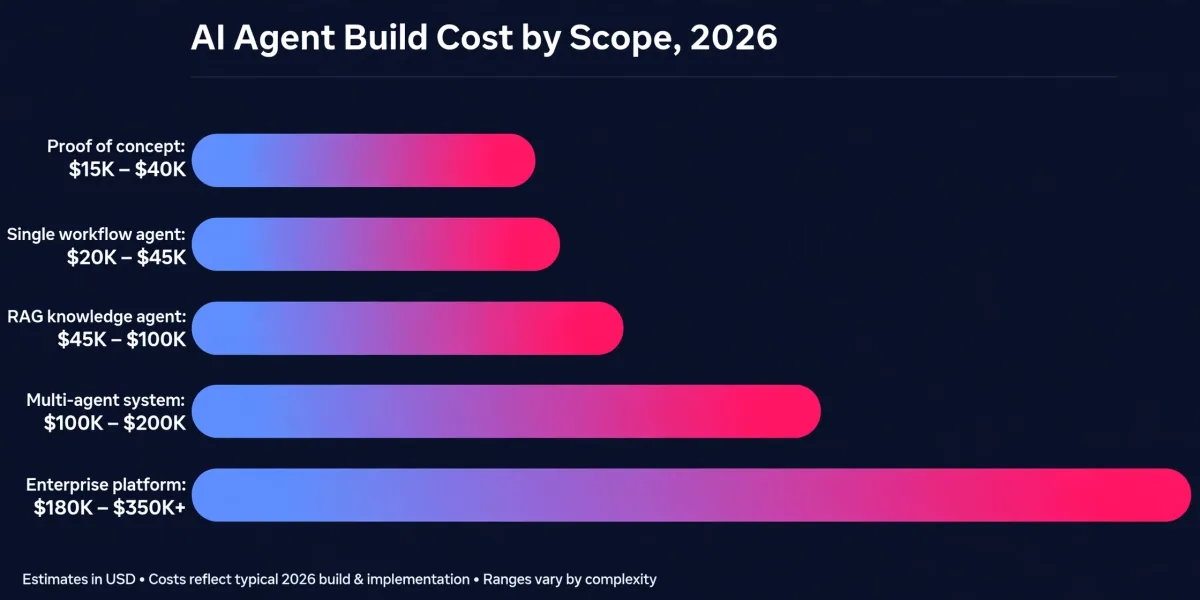
What it costs to build an AI agent in 2026
| Scope | Typical build cost | Timeline |
|---|---|---|
| Proof of concept | $15,000 - $40,000 | 4 - 8 weeks |
| Single workflow agent | $20,000 - $45,000 | 6 - 10 weeks |
| RAG knowledge agent | $45,000 - $100,000 | 10 - 16 weeks |
| Multi-agent system | $100,000 - $200,000 | 4 - 7 months |
| Enterprise platform | $180,000 - $350,000+ | 6 - 12+ months |
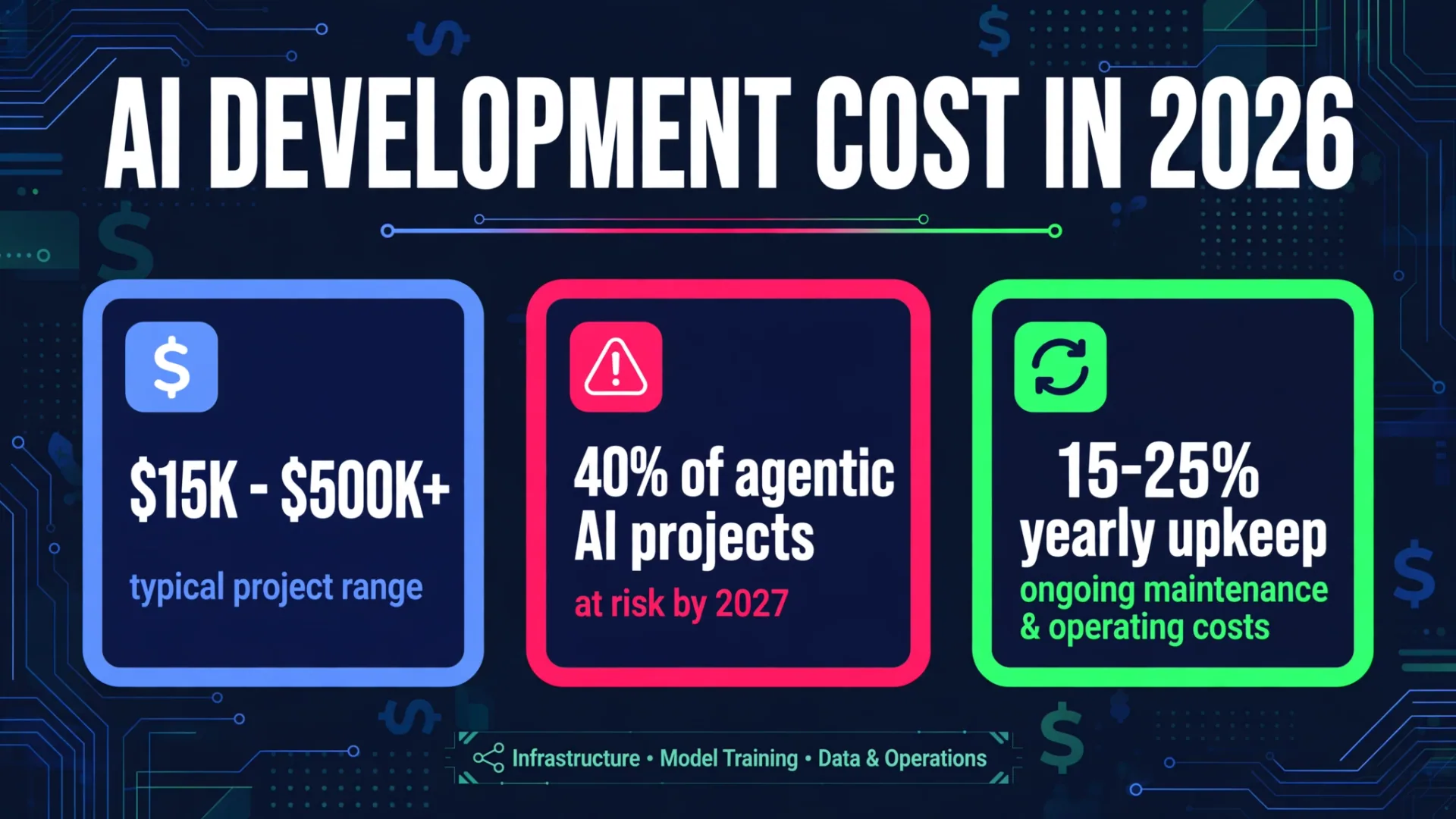
Cost ranges: Master of Code Global project data, 2026. Budget 15-20% of the build cost per year for maintenance, and remember the run cost: tokens, hosting, and tracing keep billing every month. For the full breakdown, see our AI development cost guide.
Mistakes that kill AI agent projects
The Gartner cancellation warning is worth reading before you start: over 40% of agentic AI projects are predicted to be canceled by the end of 2027. The common causes are avoidable. Starting with a vague goal instead of one measurable job. Skipping evals and discovering failures from customers. Giving the agent write access to systems it should only read. No spending cap, so one bad loop burns a month of budget overnight. And building a multi-agent system before a single agent works. Fix those five and you are already ahead of most projects.
FAQ
Do I need to know how to code to build an AI agent?
No, not for a first agent. No-code builders like Copilot agents or ChatGPT Workspace Agents let you build an assistant over your own docs with plain-language instructions. But for a production agent wired into your CRM, ticketing, and email, code frameworks give you the control and testing you need.
How long does it take to build an AI agent?
A first working prototype takes days: a useful agent is about 60 lines of code with a modern SDK. A production-ready agent takes 4 to 8 weeks for a single workflow, including evals, guardrails, and integrations. Enterprise systems take 6 to 12 months or more.
How much does it cost to run an AI agent?
A typical agent run costs $0.01 to $0.05 in model tokens. At real volumes, running costs add $100 to $4,000 a month in model usage, plus 15-25% of the build cost per year for maintenance. Track cost per completed task, not just token spend.
What is the best framework to build an AI agent in 2026?
LangGraph is the most widely adopted for production control, CrewAI fits role-based multi-agent teams, the Claude Agent SDK and OpenAI Agents SDK are the fastest path if you already use those models, and Google ADK suits Google Cloud shops. Pick the one your team can debug at 2am, not the one with the most stars.
Should I build an agent or just use a chatbot?
If the steps are fixed and the answer comes from a document, a chatbot or a workflow is enough and cheaper. Build an agent when the system has to decide what to do next based on what it finds, call several tools, and handle cases you cannot list in advance.
Build your first agent with CodeMyPixel
We build custom AI agents that automate repeated business work: lead follow-up, support triage, document handling, and reporting. If you have one job in mind and want it running in weeks instead of quarters, see how we work on codemypixel.com, compare AI development companies first, or read the cost guide to size your budget. Start with one narrow job, write the evals first, and ship something real.
Sources: Grand View Research AI Agents Market Report 2026; Gartner agentic AI forecast, June 2025; Prof. Kay Rottmann, Building AI Agents: A Practical Guide for 2026; TinyFish, How to Build an AI Agent: A Founder's Guide (2026); Master of Code, AI Agent Development Cost in 2026.
- ai agent
- ai agent development
- how to build an ai agent
- langgraph
- mcp
- ai automation