AI content analysis
Clip selection and thumbnail creation driven by the model, so the tedious half of the job arrives proposed rather than waiting to be performed.
SaaS case study
A full-stack platform that turns one long video into a week of short-form posts, schedules them across every network the creator publishes on, and builds the paid campaign beside them — without leaving the dashboard.
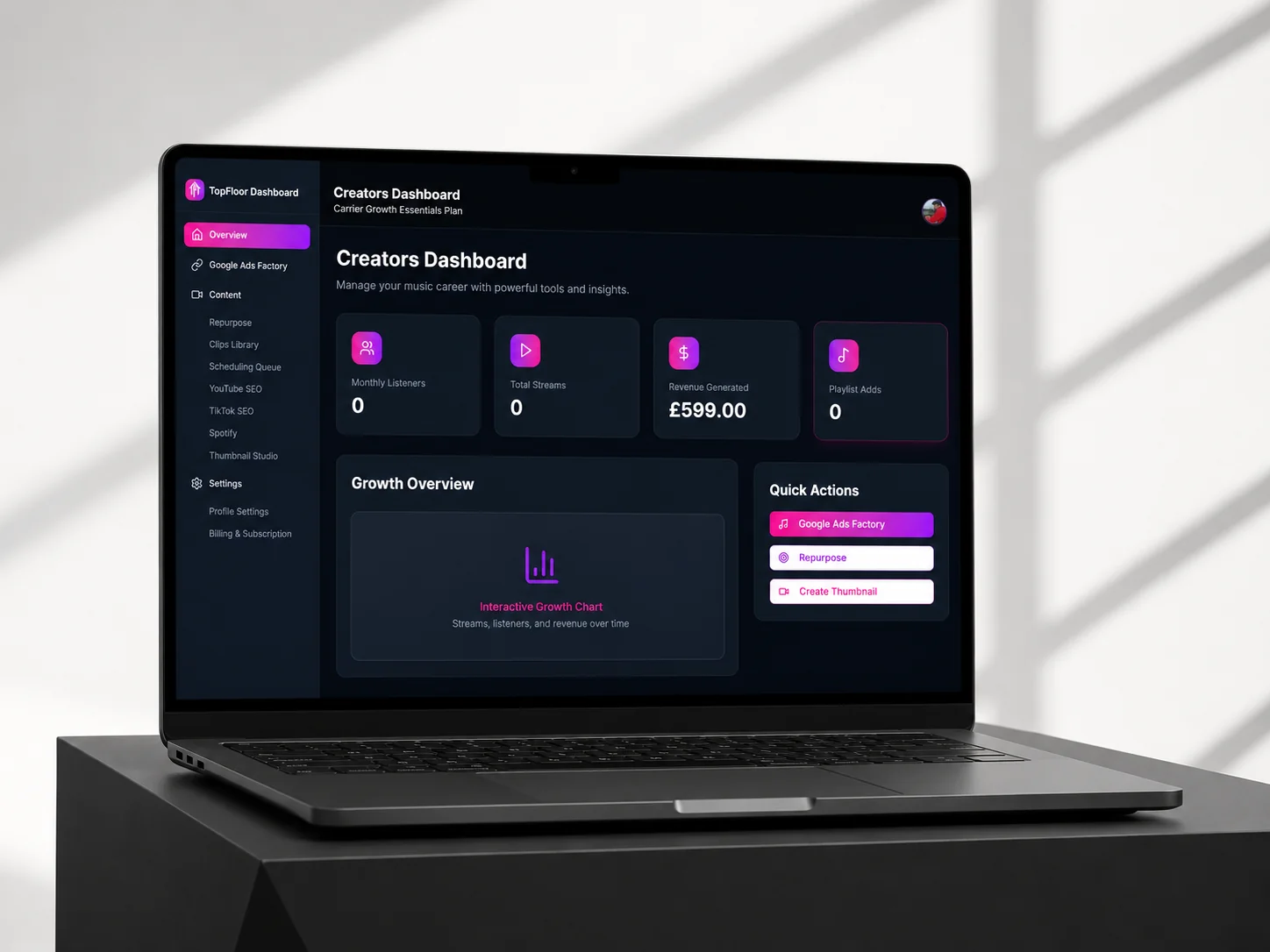
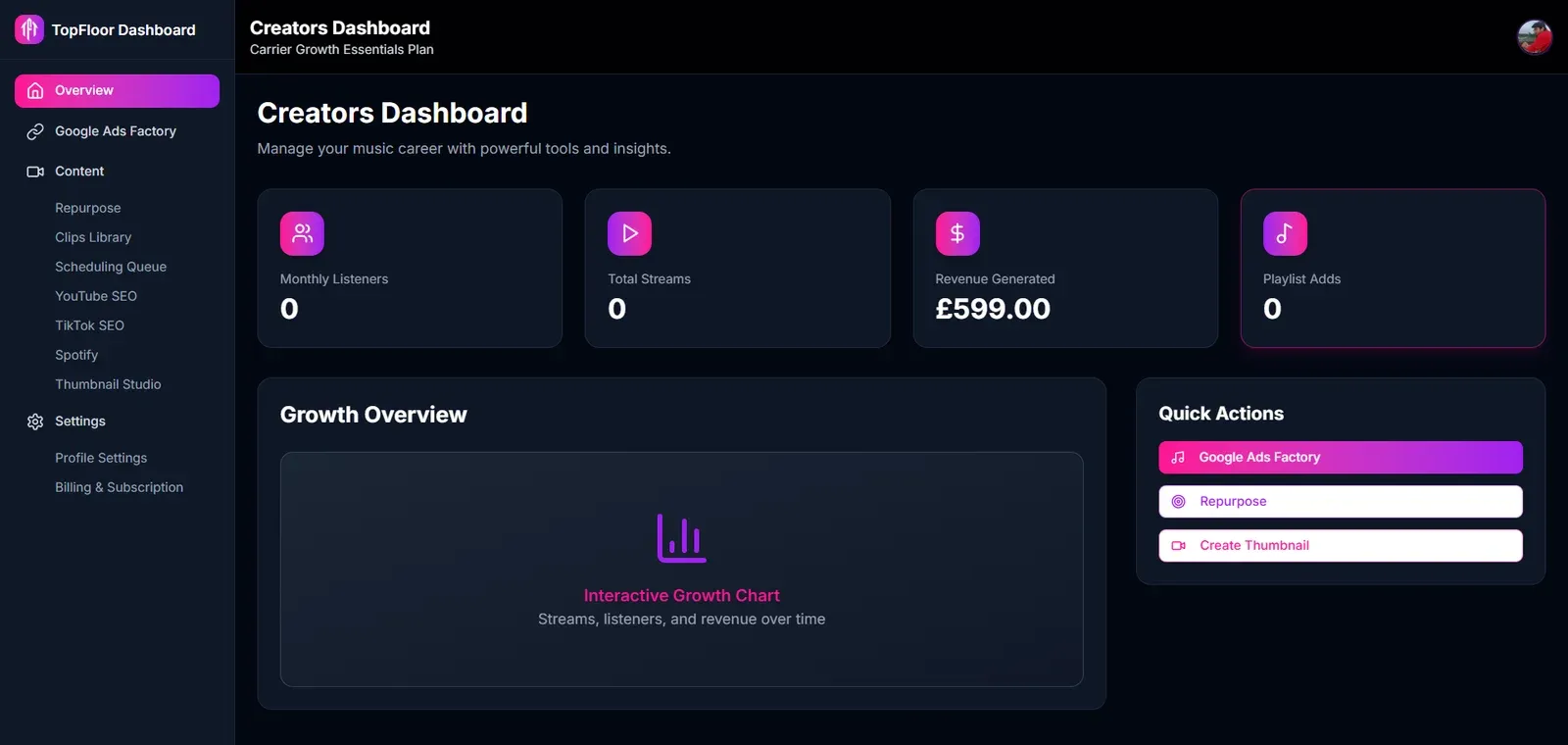
TopFloor Trends is a content operations platform for creators and marketers. One place to cut a long video into short-form clips, design the thumbnails, queue the posts across every platform, and run the paid campaigns that sit alongside the organic ones.
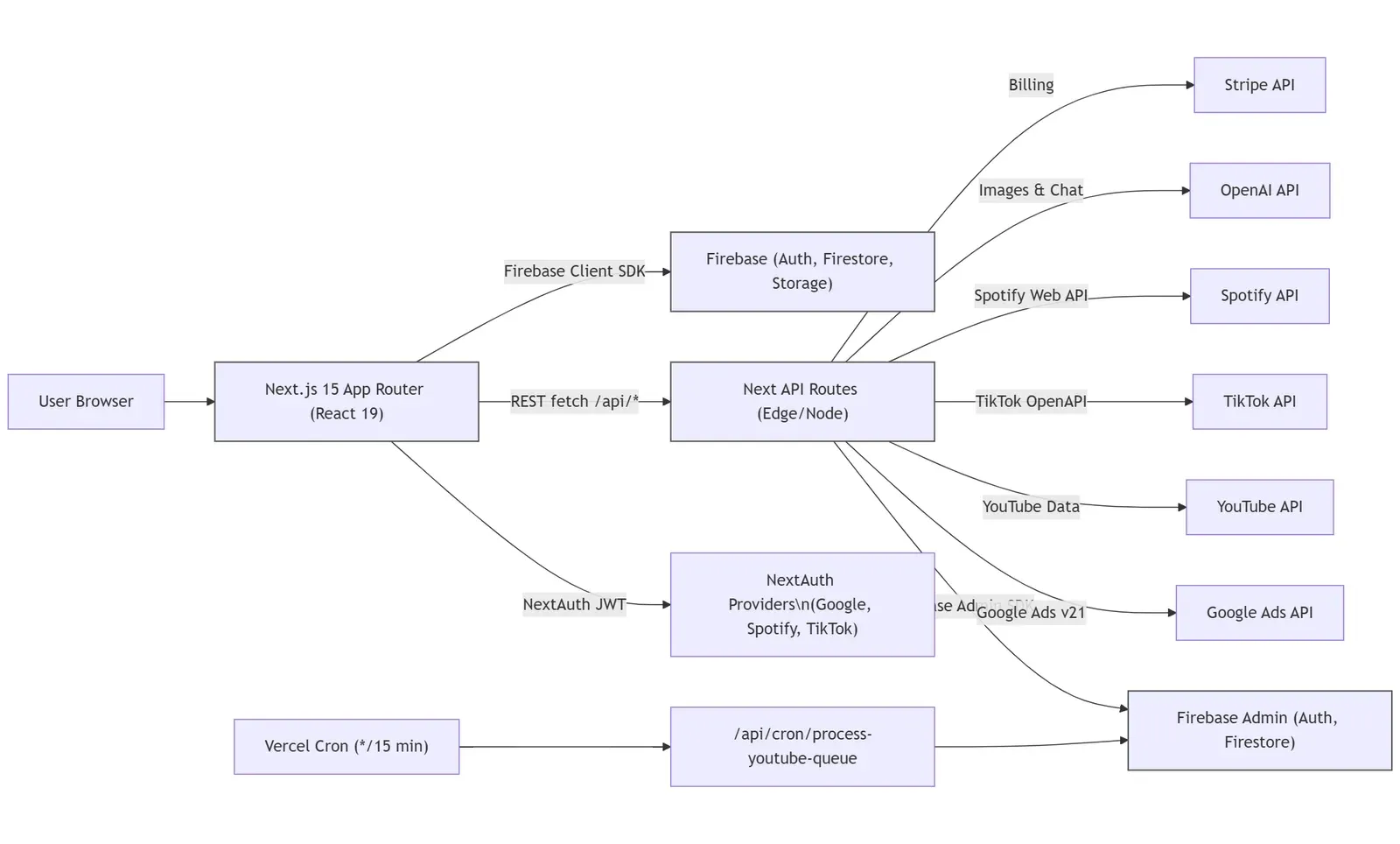
The work spans the whole stack: an AI pipeline that watches a source video and proposes the segments worth cutting, a scheduling queue driven by a cron job every fifteen minutes, a thumbnail studio built on prompts and templates, and a Google Ads wizard that takes a brief and returns a live campaign in under a minute.
Every one of those integrations is somebody else's rate limit, somebody else's auth model and somebody else's upload protocol — which is where most of the engineering went, and what the section near the bottom of this page is about.
A walkthrough of TopFloor Trends, from a pasted YouTube URL through to a scheduled week of clips and a live Google Ads campaign.
AI clip generation
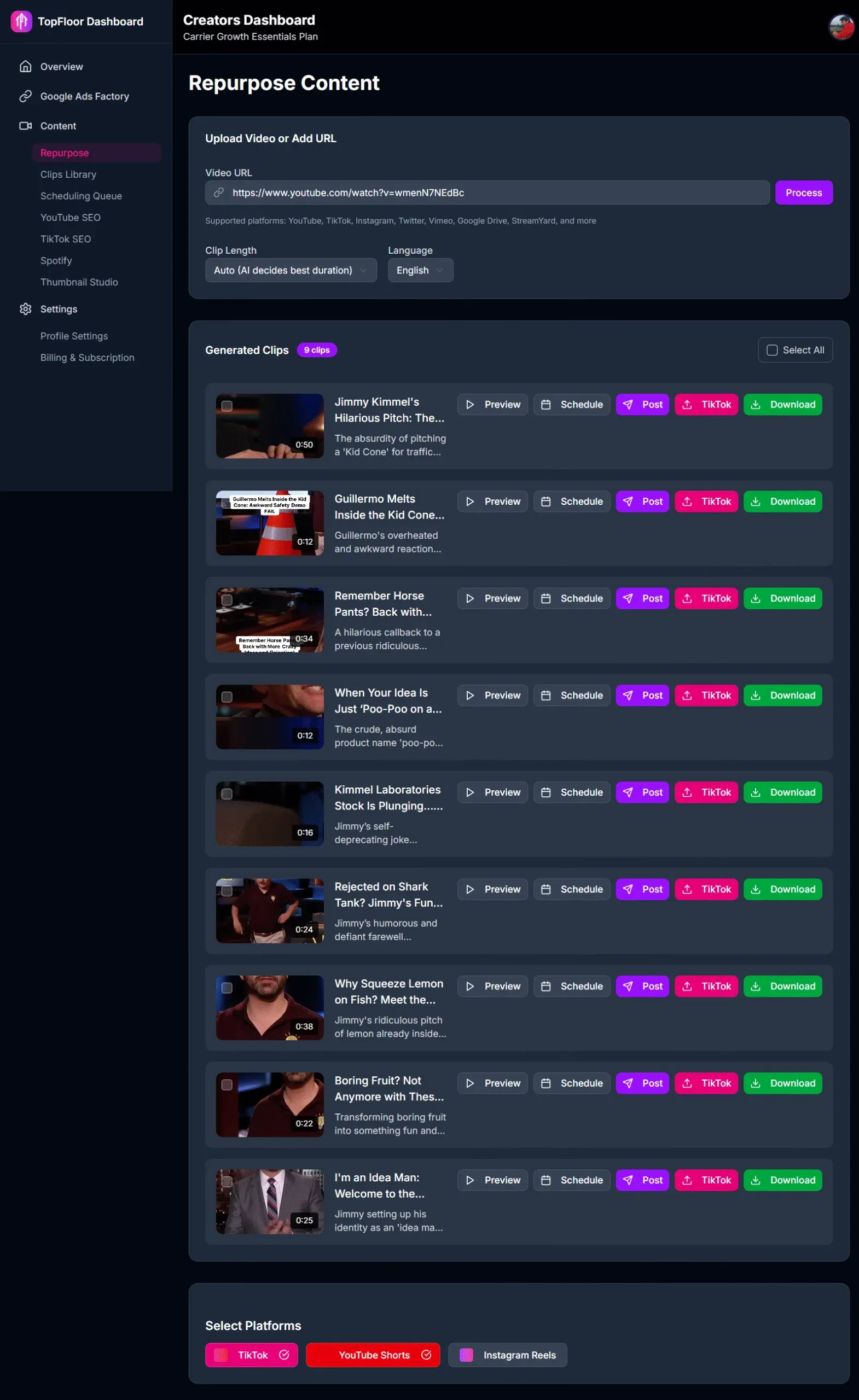
Paste a YouTube URL and the model reads the video, then returns the segments worth cutting with topics and timestamps to refine.
Multi-platform scheduling
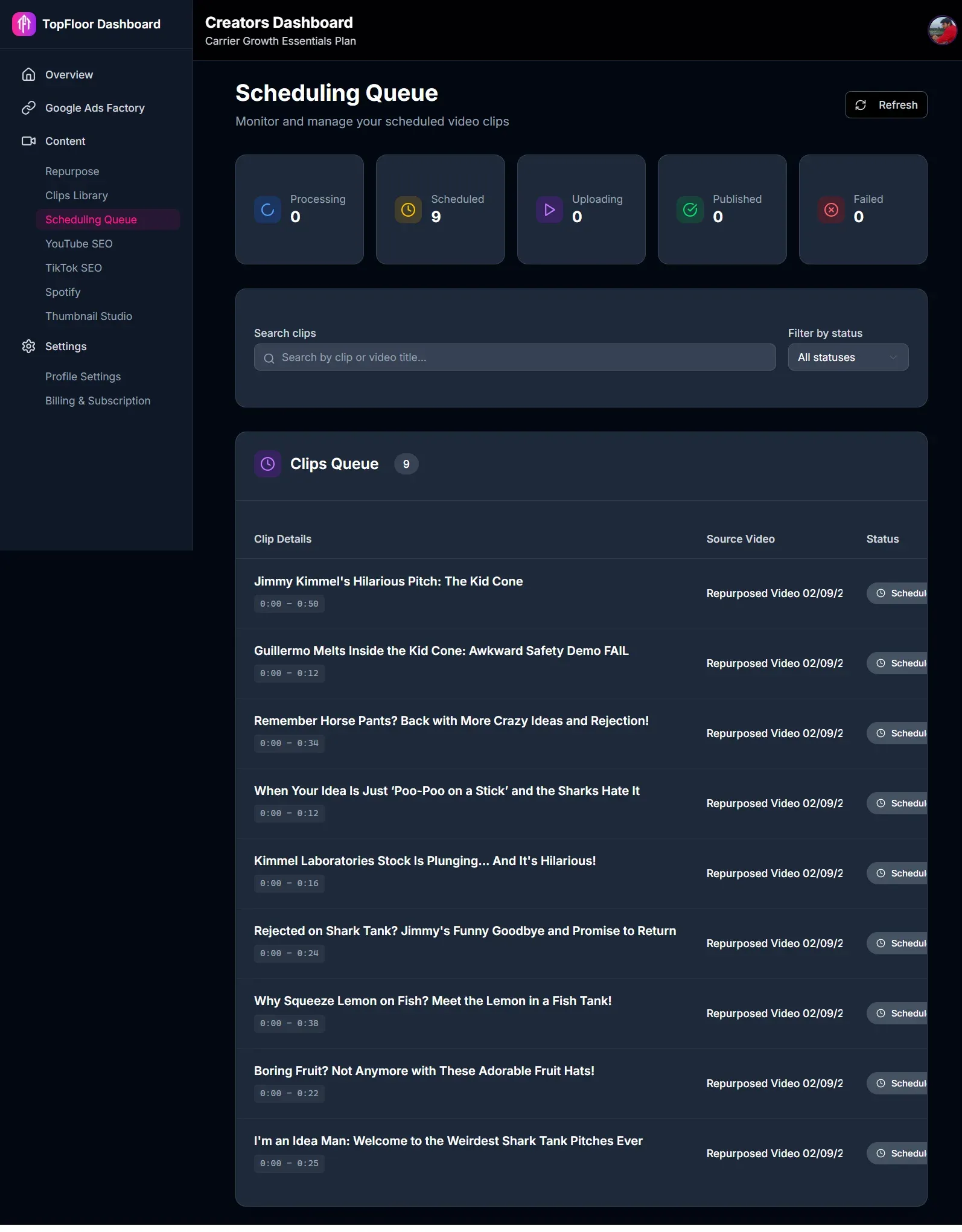
One queue that publishes to TikTok, YouTube Shorts and Instagram Reels, with the whole content calendar visible at a glance.
AI thumbnail studio
Thumbnails from a prompt and an optional reference image, in landscape, portrait or square, from templates that hold a brand steady.
Google Ads wizard
A guided brief that assembles the campaign — assets, ad groups, budget, schedule — instead of a console built for full-time media buyers.
One dashboard
Organic content and paid campaigns tracked in the same place, over the same period, against the same numbers.
Creators and marketers were losing their week to the mechanical half of publishing. The tools existed, but each one owned a single step: an editor that could cut a clip but not post it, a scheduler that knew nothing about the ads running beside the content, an ads console written for people who buy media for a living rather than for the person who made the video. Every handover between them was somebody copying something out of one tab and into another.
Repetition by hand
Clipping, thumbnailing and scheduling done one at a time, per post, per platform, every time.
Siloed tools
Editors, schedulers and ad dashboards that did not talk to each other, so the workflow ran on copy-paste.
No single view
Nothing showed how organic content and paid campaigns were performing side by side.
We built the whole path in one place. AI reads the source video and proposes the clips, so the editor is there to adjust a boundary rather than to hunt for one. The thumbnail studio and the scheduling queue sit on the same library, so a clip goes from generated to published without ever being exported. And Google Ads is reached through a wizard that asks for a brief and assembles the campaign, rather than a console that assumes whoever is filling it in does this every day.
Clip selection and thumbnail creation driven by the model, so the tedious half of the job arrives proposed rather than waiting to be performed.
YouTube, TikTok and Google Ads behind a single dashboard, for managing the content and for distributing it.
A simplified Google Ads flow that suggests the assets and cuts campaign setup from an afternoon to under a minute.
Users paste a YouTube URL to start an AI analysis that suggests the short-form clips worth cutting. The editor beside it is for fine-tuning start and end points and picking a platform-specific aspect ratio before anything is processed.
A central library holds every generated clip with filtering and search over it. The scheduler queues posts across multiple platforms from the same list, so the whole content calendar reads at a glance rather than one platform at a time.
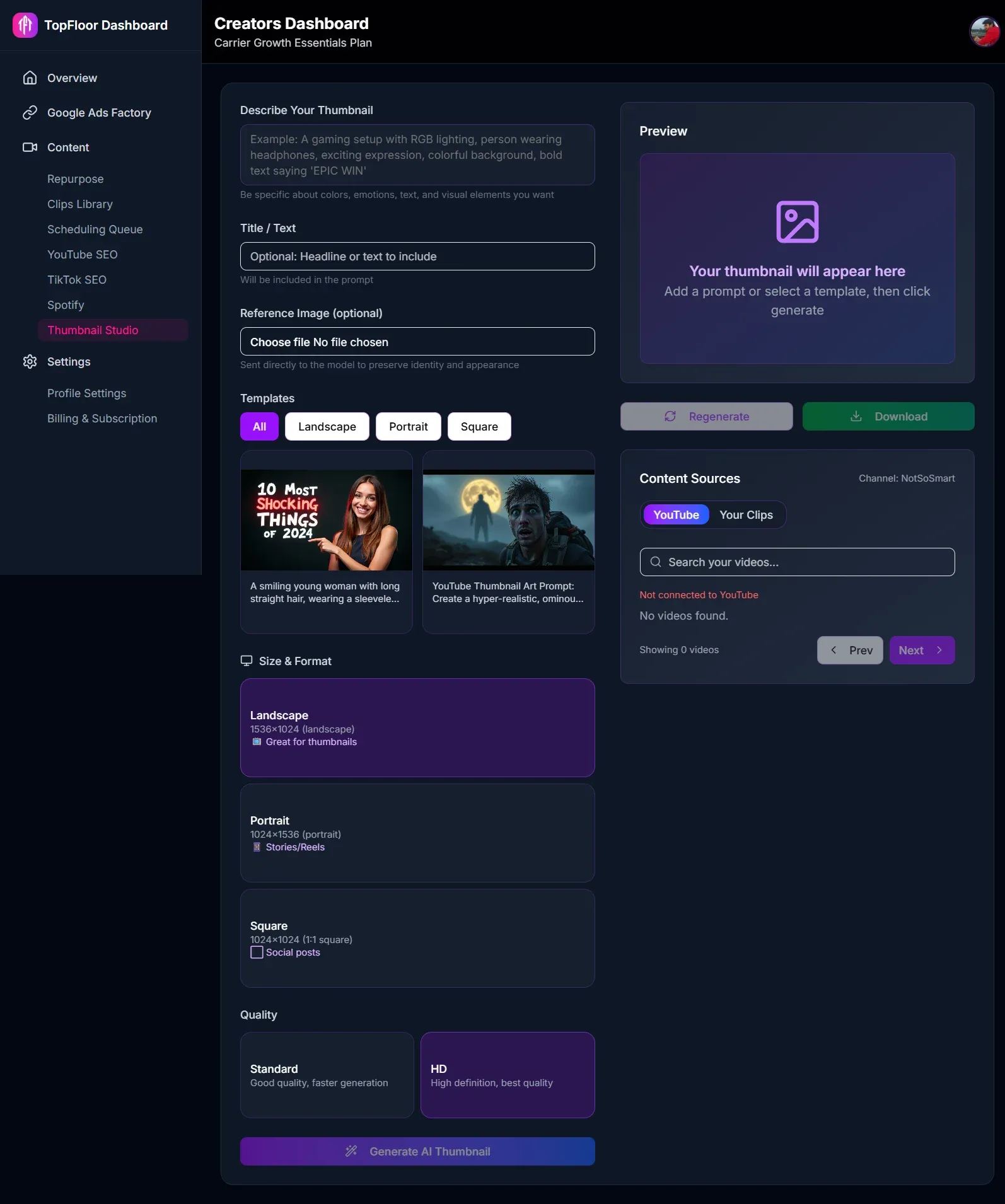
The studio generates thumbnails from a plain prompt and an optional reference image, with templates for landscape, portrait and square. It is the piece that keeps a channel visually consistent without booking a designer for every upload.
The platform shipped with content repurposing running end to end, a scheduling system that survives being driven by a cron job, and an ads flow simple enough for the person who made the video to run themselves.
Solution: An asynchronous job queue with parallelised clip generation and incremental delivery, so results arrive as they finish instead of after the slowest one. A fallback FFmpeg path covers the cases where that is still not fast enough.
Solution: Upload timeouts tuned per platform, and every outbound call wrapped in an adaptive backoff that manages the request rate dynamically rather than burning a daily quota in an afternoon.
Solution: Transactional locking in the database. A worker atomically claims a task before touching it, so two overlapping cron runs cannot both process the same item.
Solution: A dual-mode architecture that acquires tokens differently depending on whether the account is agency-level (MCC) or the user's own (BYO), decided at runtime rather than at configuration time.
Solution: A duplicate check over GAQL before creation. On a collision the system appends a unique suffix and retries, instead of surfacing an API error the user cannot act on.
Solution: An upload module that speaks both the chunked and the pull-from-URL protocols, with backoff polling, task cancellation and resumption of failed uploads.
Let's build your content platform.