AI4 min readBy JH Akash
JPEG XL Explained: The New JPEG Is Finally Here
Chrome 155 and Firefox 158 just made JPEG XL real. Half-size files, lossless JPEG archiving, HDR. Here is what changes.
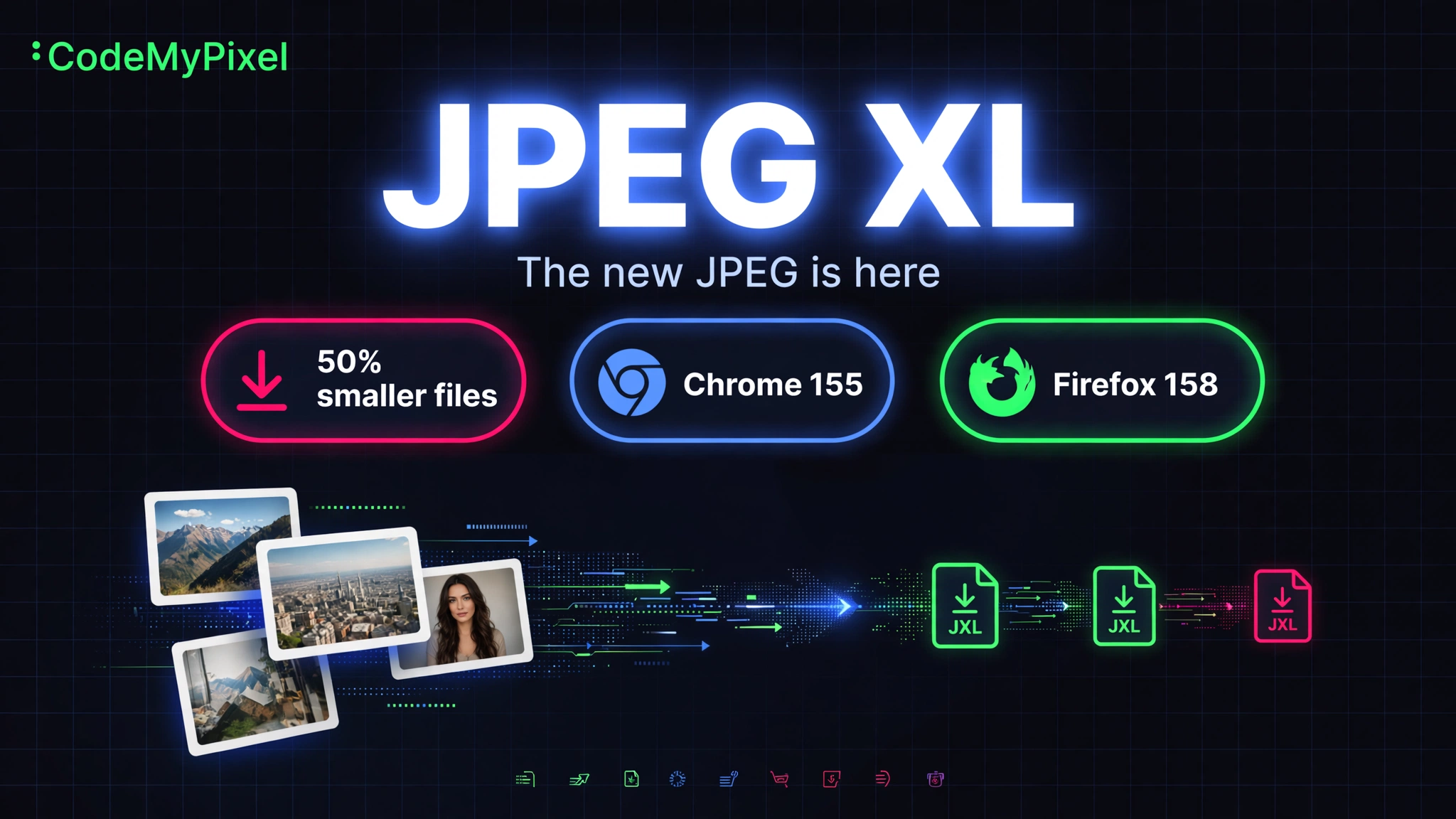
As ThioJoe put it: we got JPEG 2 before GTA 6. Well, it is not literally called JPEG 2. It is called JPEG XL (.jxl), and October 2026 is the month it finally went from "interesting standard nobody uses" to "actually shipping in your browser."
Here is the full breakdown: what it is, how much smaller your files get, who supports it, and whether you should care.
What is JPEG XL?
JPEG XL is a royalty-free image format from the Joint Photographic Experts Group, the same committee behind the original JPEG. It is standardized as ISO/IEC 18181 and designed to replace JPEG, PNG, and GIF with a single modern codec.
The headline promise: 30-50% smaller files than JPEG at the same visual quality, plus features JPEG never had.
Why October 2026 changed everything
JPEG XL has existed since 2021, but browsers ignored it. Chrome even removed its experimental support in late 2022, citing low ecosystem interest. That single decision froze web adoption for years.
Then came the comeback, powered by a memory-safe Rust decoder called jxl-rs:
| Browser | JPEG XL support |
|---|---|
| Chrome 155+ | Yes, on by default (Oct 6, 2026) |
| Firefox 158+ | Yes, on by default (Oct 13, 2026) |
| Safari 17+ | Partial, still images since 2023 |
| Edge 155 | Not yet, despite being Chromium-based |
Apple had native support since iOS 17 and macOS Sonoma. Windows 11 opens .jxl files via a free Microsoft Store extension. So for the first time, the format works basically everywhere that matters.
How much smaller are the files?
Relative file size at the same visual quality (JPEG = 100%):
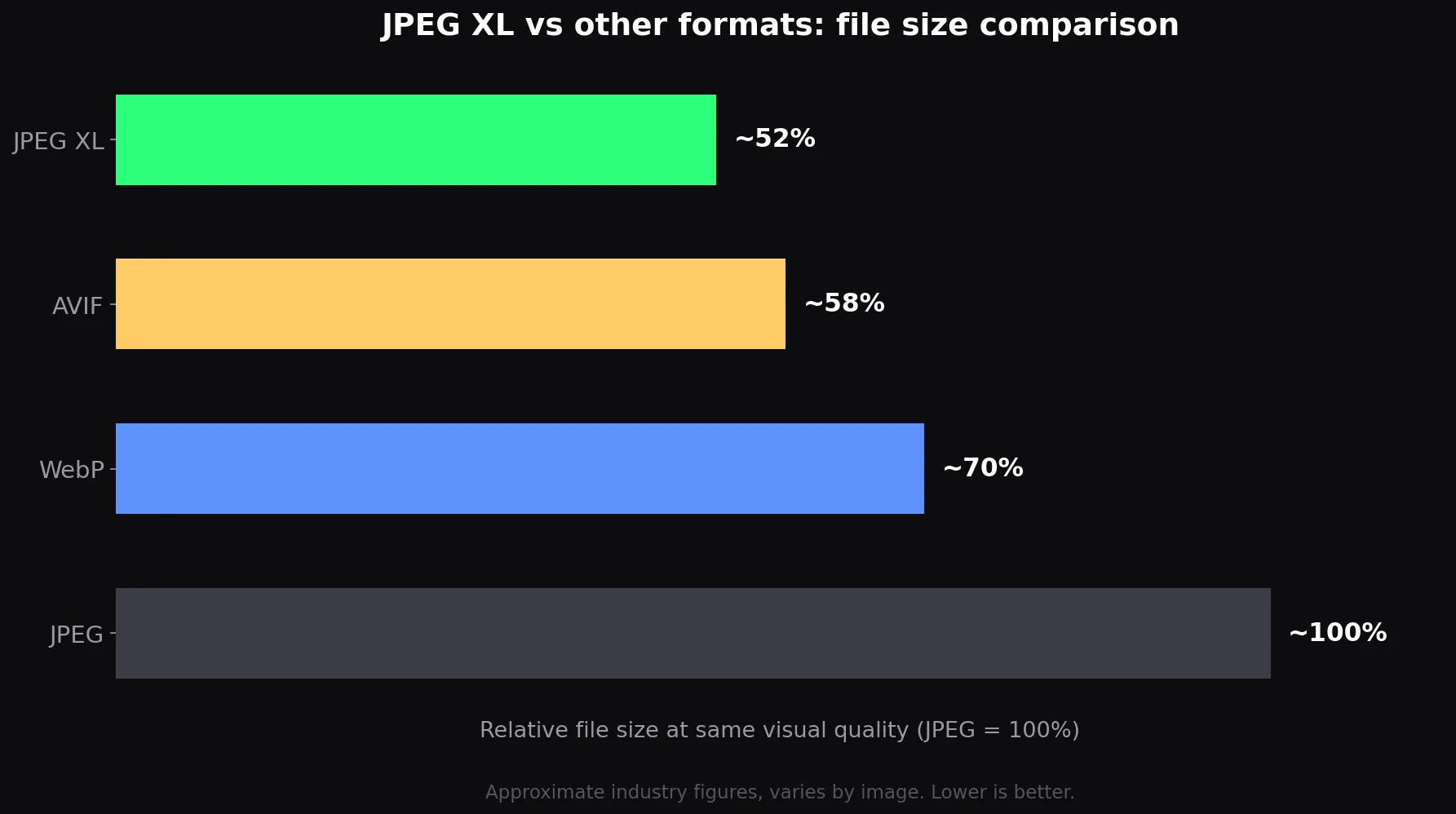
Figures are approximate industry numbers and vary by image. The key point: JPEG XL roughly halves a JPEG's file size with no visible difference.
The killer features
Beyond compression, JPEG XL packs in things JPEG never could:
- Transparency. A real alpha channel, so it can replace PNG for graphics too.
- HDR and deep color. More than 8 bits per channel, versus JPEG's 16.7 million color limit.
- Lossless mode. JPEG is lossy-only. JPEG XL can do bit-exact lossless like PNG.
- Animation. One format can cover what GIF does.
- Lossless JPEG transcoding. This is the sleeper feature: you can convert any existing JPEG to JPEG XL and back with zero additional quality loss, while shaving ~20% off the file size. Perfect for archiving photo libraries.
- Progressive decoding. Images sharpen progressively as they load, like the old interlaced JPEGs but better.
JPEG XL vs AVIF: the honest take
AVIF is the other modern contender, and at typical web quality it often produces slightly smaller files than JPEG XL. So why bet on JPEG XL?
- The name. "It's the new JPEG" is an easier sell than "what's an AVIF file."
- High quality and archival. JPEG XL wins clearly at high quality and is the only one with lossless JPEG transcoding.
- Momentum. Chrome and Firefox shipping it by default in the same month is the kind of push AVIF never got.
AVIF is not dead, but JPEG XL now has the clearer path to ubiquity.
Should you use it on your website?
For new projects: yes, with a fallback. Serve JPEG XL via the <picture> element with a JPEG fallback for Edge and older browsers. Your pages get lighter, your Core Web Vitals get happier.
For archiving: absolutely. Losslessly recompress your JPEG library and pocket ~20% storage savings with zero risk.
Hold off when: your audience is mostly on Edge, you email images to non-technical people, or your tools (looking at you, Word) cannot open .jxl yet.
At CodeMyPixel we build AI-powered websites where performance is a feature, not an afterthought. Image formats like JPEG XL are exactly the kind of quiet upgrade that makes sites feel instant. If you work with AI-generated imagery, like the models covered in our FLUX 3 Image Klein breakdown, smaller files mean faster galleries and cheaper bandwidth too.
FAQ
Is JPEG XL really replacing JPEG?
Not overnight. But with Chrome and Firefox both shipping it by default in October 2026, it has crossed the biggest barrier: browser support. The name recognition does the rest.
Can I convert my existing JPEGs without losing quality?
Yes. JPEG XL can losslessly re-encode any JPEG and convert it back bit-identically. You save ~20% file size with zero quality risk.
Does JPEG XL support transparency?
Yes, it has a full alpha channel, unlike classic JPEG.
Why doesn't Edge support it yet?
Edge is Chromium-based but Microsoft has not enabled the decoder yet. It will likely follow, but for now serve a fallback.
JPEG XL or AVIF, which should I pick?
For archiving and high-quality images: JPEG XL. For typical lossy web photos where every byte counts and you already have an AVIF pipeline: AVIF is still fine. For new projects, JPEG XL has the momentum.
- jpeg xl
- image format
- web performance
- chrome
- firefox